

Most small business owners buy QuickBooks assuming the software will handle their bookkeeping. QuickBooks bookkeeping is not automatic — a professional bookkeeper does the work inside the software. The software imports transactions. A bookkeeper categorizes them correctly, reconciles every account monthly, and produces financial statements that actually reflect reality. The Bookkeeping Company holds QuickBooks Elite Certified ProAdvisor status and provides ongoing QuickBooks bookkeeping for small businesses nationwide — including cleanup and catch-up for files that are months or years behind, and team training to keep files accurate afterward.
By Maya Primachenko, QuickBooks Elite Certified ProAdvisor & Founder · Last updated September 2026
QuickBooks Bookkeeping: Do You Still Need a Bookkeeper?
This is the most common question small business owners ask after subscribing to QuickBooks. The short answer is yes — because QuickBooks is a tool, not a professional.
What QuickBooks Does Automatically
QuickBooks Online connects to your bank accounts and credit cards through secure bank feeds and imports transactions daily. It applies categorization rules to recurring transactions based on vendor names and prior categories. Additionally, it calculates sales tax on invoices when you’ve set up the rates correctly. These automated functions save significant time compared to manual entry — but they do not eliminate the need for professional oversight.
What QuickBooks Does Not Do Without a Bookkeeper
QuickBooks does not catch its own errors. It applies categorization rules incorrectly when vendor names change or transactions don’t match prior patterns. Those miscategorized transactions quietly accumulate in the financial statements. Furthermore, QuickBooks does not reconcile your bank accounts by itself. Reconciliation requires a human to compare each QuickBooks transaction against the bank statement and confirm they match. Without monthly reconciliation, the QuickBooks balance drifts from the actual bank balance — often by significant amounts over time.
Consequently, a bookkeeper using QuickBooks produces accurate financial statements. QuickBooks alone produces whatever falls out of unchecked automatic rules and unreconciled accounts. That output is rarely accurate enough for tax preparation or business decisions. (IRS — Recordkeeping for Small Businesses)
QuickBooks Bookkeeping Catch-Up: Fixing Years of Unreconciled Records
Many businesses contact The Bookkeeping Company with a QuickBooks bookkeeping file that has not been properly reconciled in months or years. The catch-up process is well-defined — but it requires working through every uncovered period systematically rather than starting fresh.
Why Unreconciled QuickBooks Files Deteriorate
When a QuickBooks file goes unreconciled, several problems compound simultaneously. First, bank feed transactions accumulate in the For Review queue unconfirmed and uncategorized. Second, items manually entered alongside bank feed imports create duplicates that inflate both income and expenses. Third, the reconciled balance in QuickBooks diverges from the actual bank balance, producing an error that grows with every subsequent period. Finally, the chart of accounts often fills with incorrect or redundant categories from auto-categorization rules that were never reviewed.
The Catch-Up Process
The Bookkeeping Company starts from the last clean reconciliation date — the most recent period where the QuickBooks balance matched the bank statement exactly. Working forward from that date, the team imports bank and credit card statements for each uncovered month. Transactions get categorized to the correct account codes, duplicates get removed, and the period reconciles before the next one begins. As a result, every reconciled period produces a clean balance sheet and income statement that accurately reflects that month’s financial activity. (SBA — Managing Your Business Finances)
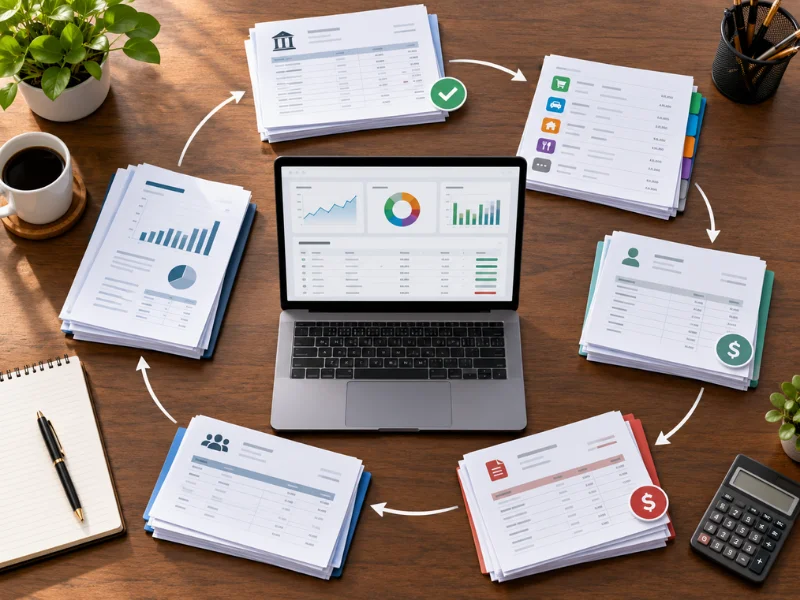
What a QuickBooks Bookkeeper Does for Your Business Each Month
Monthly QuickBooks bookkeeping covers a complete cycle of work that most business owners either skip or underestimate when they manage QuickBooks themselves.
- Bank and credit card reconciliation — all accounts reconciled to statements; every discrepancy identified and resolved before the month closes; reconciled balance confirmed to match the bank statement exactly
- Transaction review and categorization — all bank feed transactions confirmed, categorized to the correct account, and reviewed for duplicates; rules updated when vendor patterns change
- Accounts receivable tracking — invoices recorded, payments applied, and aging reports produced at month-end to flag overdue balances
- Accounts payable entry — vendor bills entered and scheduled; payment timing managed to avoid late fees
- Payroll reconciliation — payroll postings verified against actual remittances to federal and state agencies; employer tax accounts confirmed to zero each period
- Monthly financial statements — income statement, balance sheet, and cash flow statement produced at close of every accounting month; reviewed for anomalies before delivery
The Bookkeeping Company’s monthly bookkeeping service covers this full cycle using QuickBooks Online for clients nationwide.
Working Inside Your Existing QuickBooks File: How It Works
Many business owners worry about giving a bookkeeper access to their QuickBooks account. The accountant portal access model addresses all of those concerns directly.
The Accountant Portal Access Model
QuickBooks Online includes an accountant portal that allows ProAdvisors to access client files through a permission-based invitation — not a password share. The business owner sends an invitation from within QuickBooks; the bookkeeper accepts and receives accountant-level access to the file. No file is transferred, no copy is created, and no external software is required. The bookkeeper works directly in the live QuickBooks file. Additionally, the business owner retains full administrative control and can revoke accountant access at any time from within QuickBooks settings.
What Accountant-Level Access Allows
Accountant-level access lets the bookkeeper view and edit all financial data, run any report, reconcile accounts, and configure the chart of accounts and categorization rules. However, it doesn’t let the bookkeeper grant additional user access, change the subscription plan, or reach connected bank credentials. Furthermore, the business owner sees every action the bookkeeper takes — QuickBooks logs all changes in the audit trail.

QuickBooks Online vs. Desktop: Which Is Better for Ongoing Bookkeeping?
For ongoing QuickBooks bookkeeping with a professional bookkeeper, QuickBooks Online is the better choice for most small businesses. Here is why the difference matters:
- Remote access — QuickBooks Online allows the bookkeeper to access the file from anywhere through the accountant portal; Desktop requires file transfer or physical access to the computer hosting the file
- Automatic updates — QuickBooks Online updates automatically; Desktop requires manual updates and may fall out of sync with payroll tax tables if updates are delayed
- Bank feed reliability — QuickBooks Online maintains more stable bank feed connections and receives ongoing improvements to its automated categorization rules; Desktop bank feeds are less consistently supported
- Real-time visibility — QuickBooks Online gives the business owner and bookkeeper simultaneous access to the live file; Desktop typically requires one user at a time
- Accountant portal — the full accountant portal access model described above is available only in QuickBooks Online; Desktop access requires file sharing or remote desktop software
However, Desktop still serves specific use cases — particularly businesses with complex manufacturing inventory or job costing workflows not fully replicated in QBO. For those businesses, migrating to QBO requires a consulting review first. (IRS Publication 583 — Starting a Business and Keeping Records)
QuickBooks Bookkeeping Services: Nationwide Remote Coverage
QuickBooks bookkeeping from The Bookkeeping Company reaches small businesses in all 50 states through the QuickBooks Online accountant portal — no file transfer or in-person appointment required:
- Vancouver, WA and Clark County — Pacific Northwest businesses with Washington State B&O tax tracking, Oregon border income, and City of Vancouver filing requirements built into the QuickBooks income account structure
- Oregon — Oregon CAT gross receipts tracking, Oregon payroll configuration, and Portland-area transit tax setup in QuickBooks Payroll
- Texas — Texas Franchise Tax income account structure, Texas UI payroll setup, and flat monthly bookkeeping for Texas businesses across all industries
- Tennessee — Tennessee F&E Tax income account structure, Tennessee UI payroll configuration, and Nashville music/entertainment industry chart-of-accounts setup
- All 50 states — standard QuickBooks Online bookkeeping for businesses anywhere in the country; state-specific tax configuration available for all states the firm currently serves
The Bookkeeping Company’s QuickBooks consulting and monthly bookkeeping services are available to new clients nationwide. Call 360-524-9889 for a free consultation about your QuickBooks bookkeeping situation.
Frequently Asked Questions About QuickBooks Bookkeeping
Can you clean up a messy or years-behind QuickBooks file?
Yes. The Bookkeeping Company cleans up QuickBooks files with months or years of unreconciled accounts, miscategorized transactions, duplicate entries, and disorganized charts of accounts. The process starts from the last clean reconciliation date, works forward month by month importing bank statements, categorizing transactions, and reconciling each period. Most single-year cleanups take two to four weeks. Multi-year cleanups take six to twelve weeks depending on transaction volume. After cleanup, the account transitions to ongoing monthly bookkeeping.
Do I still need a bookkeeper if I already use QuickBooks?
Yes. QuickBooks is accounting software — it requires a professional to use it correctly. Bank feeds import transactions automatically, but miscategorize them when patterns change or rules are not reviewed. Reconciliation requires human review of each transaction against the bank statement. Without monthly reconciliation, the QuickBooks balance drifts from the actual bank balance — often by significant amounts. A bookkeeper using QuickBooks catches these errors; QuickBooks alone does not.
Are you a certified QuickBooks ProAdvisor?
Yes. Maya Primachenko holds QuickBooks Elite Certified ProAdvisor status — the highest certification tier Intuit offers. Elite ProAdvisors pass an advanced knowledge assessment, maintain an active QuickBooks Online client base, and receive priority Intuit support. As a result, The Bookkeeping Company accesses client files through the full accountant portal and resolves platform issues faster. That includes advanced setups for any state-specific tax requirement — Washington State B&O classification, Tennessee Franchise and Excise Tax income accounts, and beyond.
Can you work inside our existing QuickBooks file securely?
Yes. The Bookkeeping Company accesses QuickBooks Online files through the accountant portal — a permission-based system built into QuickBooks. The business owner invites the bookkeeper from within QuickBooks; no password is shared and no file is transferred. The business owner retains full administrative control and can revoke access at any time. Additionally, QuickBooks logs all bookkeeper actions in the audit trail, so the business owner always knows exactly what was changed and when.
Will you train our team to keep it tidy afterwards?
Yes. After cleanup or setup, The Bookkeeping Company provides team training sessions focused on the workflows your team actually uses — categorizing bank feed transactions, entering bills and invoices, reviewing payroll run reports, and using the QuickBooks reports your business depends on. Training uses the actual QuickBooks file rather than demo data. Ongoing monthly bookkeeping from the same firm keeps the file accurate. Staff training improvements last rather than getting undone by accumulated errors over subsequent months.
How long does it take to catch up years of QuickBooks records?
A single-year QuickBooks catch-up for a small business typically takes two to four weeks. Multi-year catch-ups for files two to five years behind take six to twelve weeks, depending on transaction volume and account count. The Bookkeeping Company scopes each project individually and provides a flat-fee estimate and timeline before work begins. After catch-up completes, the account moves to a flat monthly bookkeeping package so the same accumulation does not happen again.
What happens if QuickBooks books are never reconciled?
Unreconciled QuickBooks accounts drift progressively from the actual bank balance — often by thousands of dollars over time. Duplicate transactions accumulate in the For Review queue as bank feeds import items that were also entered manually. Financial statements produced from an unreconciled file overstate or understate income and expenses in ways that affect tax returns and business decisions materially. Furthermore, the IRS requires businesses to maintain adequate records to support income and deductions. Because of that, an unreconciled QuickBooks file does not meet the standard.
What’s the difference between QuickBooks bookkeeping and QuickBooks consulting?
QuickBooks bookkeeping is the ongoing monthly service of categorizing transactions, reconciling accounts, managing receivables and payables, and producing financial statements inside QuickBooks. QuickBooks consulting is project-based: new file setup, cleanup, Desktop-to-Online migration, or team training on specific workflows. Many businesses need both: a consulting project to configure or clean up the file correctly, followed by ongoing monthly bookkeeping to keep it accurate. The Bookkeeping Company provides both.
About The Bookkeeping Company
The Bookkeeping Company: Tax Strategies & Planning
18523 NE 65th St
Vancouver, WA 98682
Phone: 360-524-9889
Email: thebookkeepingcomp@gmail.com
Service Area: Serving small businesses nationwide via QuickBooks Online accountant portal. Specializing in Vancouver, WA, Clark County, Oregon, Texas, Tennessee, and all 50 U.S. states. Free consultations offered.