
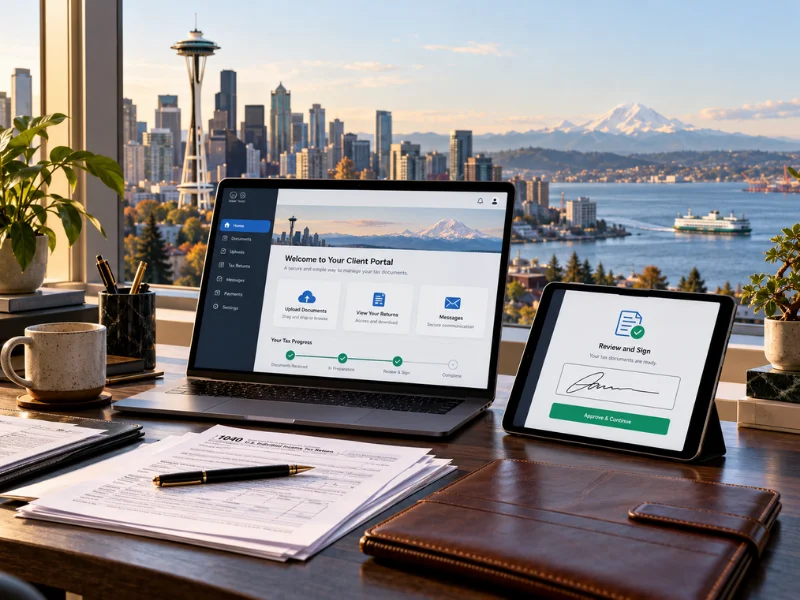
Searching for tax preparation near me in Seattle once meant scheduling an appointment, gathering documents into a folder, and sitting across a desk from a preparer for an hour. That model still exists. Most Seattle small business owners and professionals no longer need it. A complete tax return can be handled from document upload to e-file signature without a single in-person meeting — and without any reduction in accuracy or oversight. The question for Seattle clients is not whether remote tax preparation works. It is whether the process is secure, clear, and fast enough for a busy schedule.
By Maya Primachenko, IRS PTIN Holder & Founder · Last updated October 2026
Tax Preparation Near Me: The Full Remote Process
The remote tax preparation workflow runs from first contact to e-filed return without an in-person meeting, mailed documents, or a fax.
- Free initial consultation — by phone or video; covers the scope of filings needed, what documents to gather, and the cost estimate for all returns
- Client portal setup — the client receives a private login to an encrypted portal for all document uploads and secure messaging
- Document upload — W-2s, 1099s, prior year return, P&L statement, equity compensation forms — all uploaded directly to the portal as PDFs or exports; no printing or scanning required for digital documents
- Preparation — all documents reviewed, the return prepared, and any missing items flagged through secure message
- Client review — return uploaded to the portal as a PDF; review happens on the client’s schedule, questions by message or phone
- Electronic signature — the client signs IRS Form 8879 electronically through the portal; no printing or scanning
- E-file — the preparer files directly with the IRS; the client receives e-file confirmation through the portal
The Bookkeeping Company’s tax preparation service follows this workflow for every client — Seattle, Bellevue, Vancouver, WA, and nationwide. See the firm’s full tax preparation services.
How to Send Tax Documents Securely: What Not to Do
Document security is the most common concern about remote tax preparation — and it is a legitimate one. Tax documents carry Social Security numbers, employer EINs, bank account details, and income information. Sending them carelessly creates real risk.
Email Is Not the Right Channel for Tax Documents
Standard email was never designed to be an encrypted channel. A W-2 or 1099 attached to a Gmail or Outlook message travels across servers that aren’t protected end-to-end. Tax-related identity theft — stolen SSN used to file a fraudulent return and redirect a refund — is one of the IRS’s most-reported fraud types. Any preparer who accepts tax documents via standard email is operating below the minimum standard for document security. (IRS — Tax-Related Identity Theft Information)
Encrypted Client Portals: The Standard
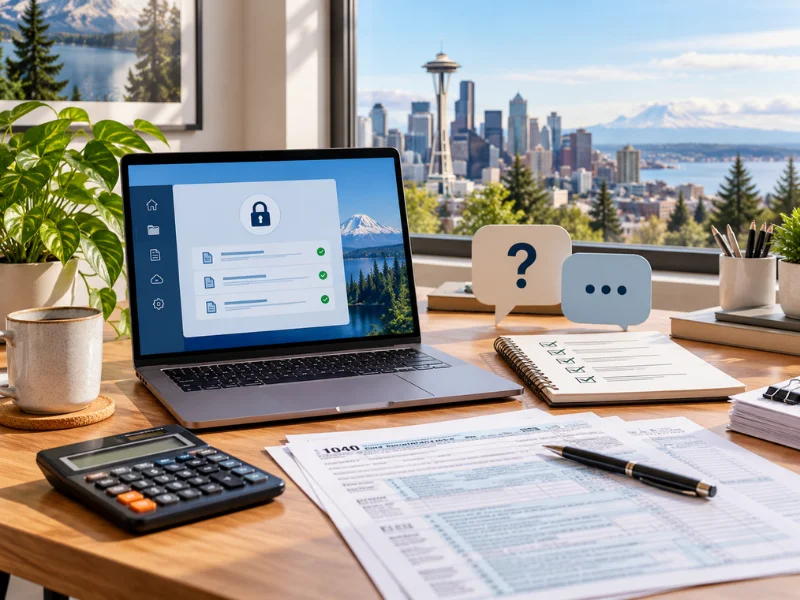
Professional tax preparers use encrypted client portals for document exchange. Each client gets a private, password-protected login. Portal uploads are encrypted in transit via TLS and encrypted at rest — the same standard banking uses for online account access. Sensitive back-and-forth stays inside the portal. The Bookkeeping Company accepts tax documents only through the client portal. Nothing sensitive is requested or received via standard email.
Digital Documents Upload Without Scanning
Most tax documents are available digitally at the source: W-2 PDFs from employer payroll portals, 1099-NEC PDFs from payer accounts, 1099-B PDFs from brokerage platforms, QuickBooks or Xero reports exported directly. All of these upload to the portal without scanning. Clients with documents already in digital form have the shortest handover.
Reviewing and Signing Your Return Without a Desk
One of the clearest advantages of remote tax preparation near me is that client review happens on the client’s schedule rather than at a booked appointment time.
Reviewing the Draft Return
Draft return arrives on the portal as a PDF. The client reviews every page, cross-references figures, and takes as long as needed. Questions go through secure portal messaging or a phone call — not a rushed final-minutes desk review. Any revision means re-upload, not a second visit.
Electronic Signature and E-File Authorization
IRS Form 8879 is the taxpayer authorization for the preparer to e-file the return. It can be signed electronically through the portal using an e-signature system. The signature is legally equivalent to a handwritten signature. After the client signs, the preparer e-files directly with the IRS, and both parties receive confirmation. (IRS — E-File Options for Individuals and Businesses) No printing, no scanning, no overnight mail, no same-day appointment to sign before a deadline.

Is a Remote Tax Preparer as Good as a Local One?
This concern comes up frequently. The short answer: yes, with one condition — the preparer still needs to be qualified, credentialed, and accessible.
The preparation work itself is identical. Same documents, same return, same IRS e-file. The preparer reviews income sources, applies deductions, coordinates business and personal returns, and files — same as any office. None of it requires the client to be in the same room.
The practical differences are all logistical. Documents go to a portal instead of a folder. Review happens via PDF instead of in-office. Signing is electronic instead of pen. None of those changes affect return accuracy.
What does matter: the preparer should be reachable by phone and message, not just during filing season. They should handle IRS correspondence when it arrives in August. And they should not disappear after April. Those qualities are not related to geography — they are characteristics of the firm and its model. Remote delivery from a year-round, responsive preparer is consistently better than an in-person appointment with a filing-season-only office.
For clients who also need monthly bookkeeping, running both through the same firm means documents are already organized at year-end — reducing preparation time and the chance of missing items significantly.
How Quickly Can a Remote Tax Return Be Completed?
Turnaround for tax preparation near me through a remote preparer follows the same timeline as in-person preparation — and often faster for clients who submit complete document sets.
- Standard return, complete documents: five to ten business days from complete document receipt
- Complex returns (equity compensation, multiple entities, multi-state): two to three weeks
- Prior-year or late returns: two to four weeks depending on how many years are involved and availability of historical documents
- Filing season (February through April): submit documents early; volume increases through March and turnaround extends for late submissions
- Off-season (May through January): fastest turnaround; best time to start a new client relationship or address prior-year returns
Missing documents are the primary delay in every case. The Bookkeeping Company sends a specific missing-item request through the portal rather than placing the return on hold silently — so the client knows exactly what is still needed.
Call 360-524-9889 for a free consultation on remote tax preparation. New clients taken year-round, not only in filing season.
Frequently Asked Questions About Remote Tax Preparation Near Me
Can the whole return be handled remotely without meeting in person?
Yes — entirely. All of it — document upload, preparation, review, signing, and e-filing — runs through the secure portal. No in-person appointment, no mailed documents, no fax. Documents go up through the portal, the return comes back as a PDF for review, Form 8879 is signed electronically, and the preparer e-files. Clients who prefer async mode often complete the whole thing without a single call. Phone and video are available when someone wants to talk through something.
How do we send documents to you securely?
Through an encrypted client portal — not email. Email is not a secure channel for documents with Social Security numbers, EINs, or financial data. Each client gets a private, password-protected portal login at the start of the engagement. Portal uploads are encrypted in transit and at rest. Sensitive back-and-forth stays inside the portal. Nothing sensitive is requested or accepted through standard email.
Is working with a remote preparer any different in practice?
Not materially. Documents go to a portal instead of a physical folder; the return arrives as a PDF instead of a printout across a desk; signing is electronic instead of pen. The preparation work — reviewing income sources, applying deductions, coordinating business and personal returns — is identical. The only meaningful difference is that client review happens on the client’s schedule rather than at a fixed appointment time, which most clients prefer.
How do we review and sign the return?
Return arrives on the portal as a PDF. The client reviews each page, asks questions through secure messages or by phone, and requests any changes before approving. Once satisfied, the client signs IRS Form 8879 electronically through the portal — legally equivalent to a handwritten signature. The preparer e-files with the IRS, and both parties get e-file confirmation. No printing, no scanning, no overnight mail.
How quickly can a return be turned around?
Five to ten business days for a standard return with complete documents. Complex returns — equity compensation, multiple entities, multi-state filings — typically take two to three weeks. Filing season (February through April) sees longer turnaround as volume increases; submitting documents early in the season produces faster results. Clients whose bookkeeping runs through this firm tend to turn around faster because documents are already organized before the season starts.
What secure portal do you use for document sharing?
The Bookkeeping Company uses an encrypted client portal for all document exchange and secure messaging. Each client gets a private login at the start of the engagement. Documents are encrypted in transit using TLS and encrypted at rest. Secure messages inside the portal replace email for any communication that involves sensitive data. The same portal handles document exchange for both tax preparation and ongoing bookkeeping engagements — one place for all financial documents.
Can you work with documents that are already digital?
W-2 PDFs from employer portals, 1099-B PDFs from brokerage accounts, 1099-NEC PDFs from payer portals, and QuickBooks or Xero P&L and balance sheet exports all upload directly to the portal without scanning. Most Seattle-area clients whose documents originate digitally complete the handover in under an hour. Physical documents — older tax returns, paper W-2s — can be scanned with a phone using any document scanner app and uploaded as PDFs.
Do you work with new clients year-round, not just at filing time?
Year-round. New clients are taken at any point in the calendar, not only during filing season. Clients who start between May and January often see faster initial turnaround and more time to get organized before the next filing season. For businesses that also need bookkeeping, starting outside of filing season gives time to set up the accounts, complete any catch-up, and have reconciled records ready well before the following April.
The Bookkeeping Company: Tax Strategies & Planning 18523 NE 65th St Vancouver, WA 98682 Phone: 360-524-9889 Email: thebookkeepingcomp@gmail.com Service Area: Serving Seattle, Bellevue, the greater Puget Sound region, Vancouver, WA, and clients nationwide. All tax preparation delivered remotely. Free initial consultations for all new clients. |
Schedule your free tax consultation